
Basic Education
Basic School Edition
Creche to JHS 3 — admissions, class registers, GES-style terminal reports, fees with bulk billing and arrears carry-forward, canteen and school transport, plus the parent and teacher portals.
Visit its websiteEducation Management System
Admissions, attendance, assessment and reports, and fees with Mobile Money, plus the accounts and payroll behind them. Learners and parents follow along on their phones; you see the whole institution from yours.
EduSuite is one system. An edition sets it up for a particular kind of institution, with its levels, subjects, grading and fees in place before your first login.
Creche to JHS 3 — admissions, class registers, GES-style terminal reports, fees with bulk billing and arrears carry-forward, canteen and school transport, plus the parent and teacher portals.
Visit its websiteFor vocational, professional and corporate training: courses and intakes instead of terms and classes, practical assessment and certificates.
See what's plannedAn application becomes a learner and a guardian in one step.
Your levels and classes, each with its class teacher.
Teachers mark the morning register on a phone, online or not.
Bill a whole class from its fee structure; MoMo and cash receipted.
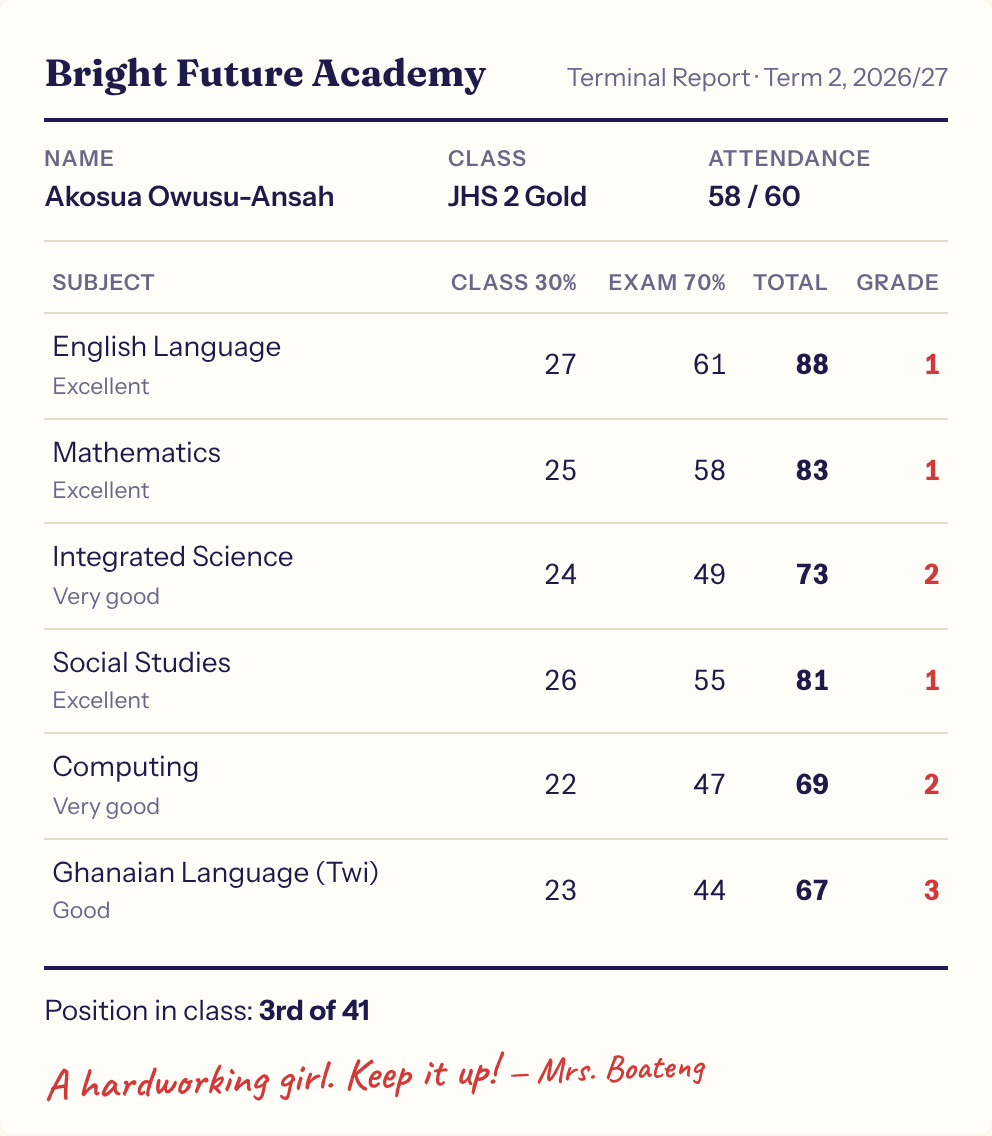
Class and exam scores on your grading scale, positions worked out.
Terminal reports printed or sent to parents, remarks and all.
Promote a whole class at year end, arrears carried forward.
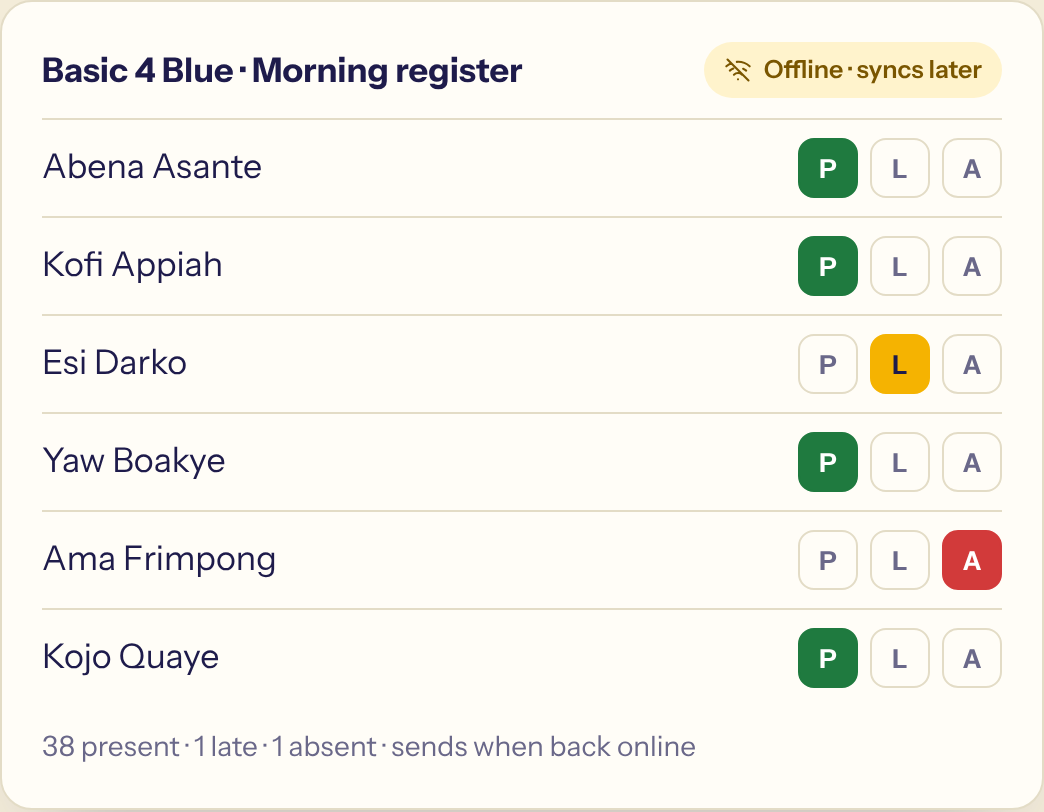
Teachers mark Present, Late or Absent in the Teacher app on their own phone, even with no network. Parents see it in their app, and the attendance on the terminal report fills itself in.
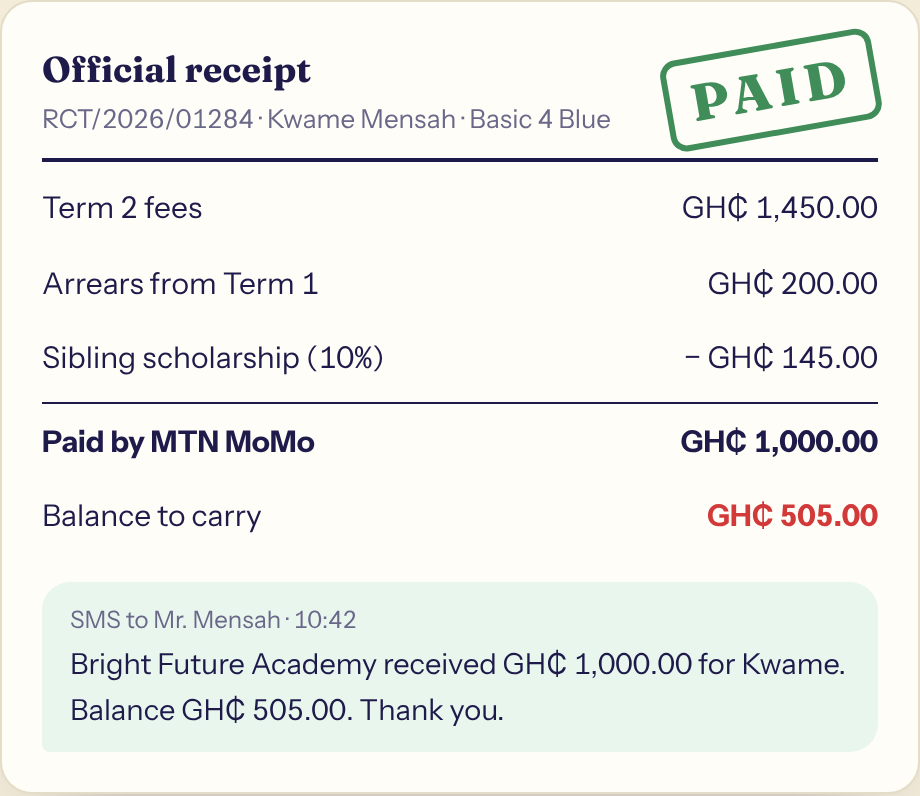
Bill a whole class from its fee structure with scholarships applied. Every payment is receipted, arrears carry into next term, and the defaulters list is one click away.
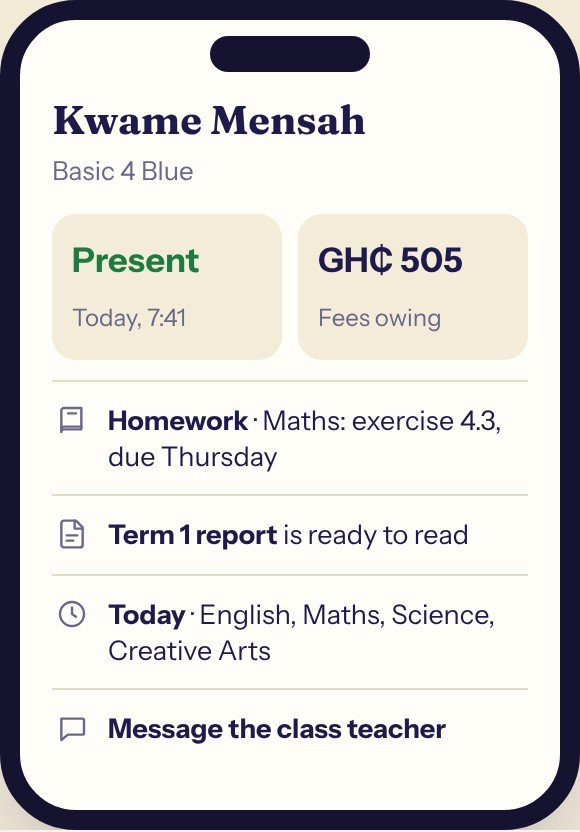
Attendance, homework, published report cards, bills and the class timetable, on the phone they already carry. They can message the school without visiting.
Fees collected and owing, attendance and the payroll, every morning in one view. Not a fees list: the school's real books.
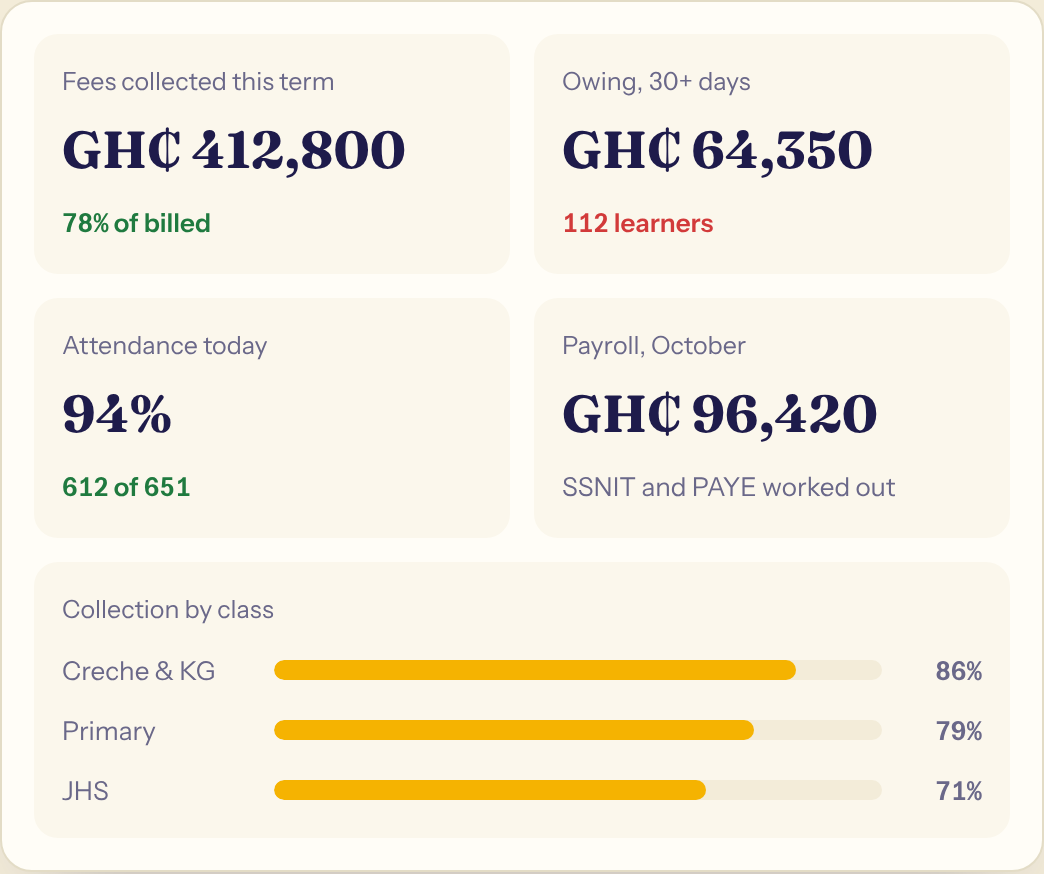
A school pays salaries, buys supplies, runs a canteen and owns buses. It all runs here.
Fees land in a real ledger: bank, expenses, budgets and financial statements the board can read.
Staff records, leave and a monthly payroll with SSNIT and PAYE worked out for you.
Uniforms, books and supplies: stock levels, purchase orders and the suppliers you pay.
Serve against the weekly menu, sell on credit, and cash up every day.
Routes, riders and a roll call on every trip, so you know who boarded.
Book loans and copies; houses, beds and who sleeps where.
Spending and requests go to the right person to approve before money moves.
Announcements and payment receipts by SMS, under your school's name.
Choose your edition and your school's own address. No server, no installation.
Learners, guardians, classes and fee balances come across from a spreadsheet. We help.
Teachers sign in on their phones; parents get their app link by SMS.
Yes. Each edition comes ready for its kind of institution. The Basic School Edition, for example, ships with the class levels from creche to JHS, the GES subject list, grading scales and terminal reports built from class and exam scores.
Talk to us. EduSuite is one system with editions for different kinds of institution, and we will show you what it can do for yours today. A Training Centre Edition, for vocational, professional and corporate training, is coming soon.
Yes. Payments by Mobile Money and cash are receipted against the learner's bill, the parent gets an SMS, and the money shows in the school's accounts.
Teachers can mark the class register in the Teacher app with no connection; it sends when the connection comes back, and a register already confirmed is never overwritten.
No. The parent app opens from a link and installs from the browser on any smartphone. Parents without one still get SMS.
Yes. Learners, guardians, classes and fee balances import from a spreadsheet, and we help you set up.
Bring your class lists and fee structure. We'll set it up with you.